


How to Check If the correct Microphone is Selected in Chrome


- 2 min read

Your microphone plays a crucial role in your PTE Speaking score—more than you might think. A defective or improperly set up mic can warp your voice, reduce clarity, or even fail to capture your responses altogether. Before you start your test or even begin practicing, it's essential to ensure your microphone is working perfectly and aligned with PTE test standards. In this guide, we'll walk you through everything you need to check for optimal audio clarity and performance.
Please note that since Google Chrome is the recommended browser to access alfapte.com to its fullest potential, the following steps will help you choose the correct microphone on Chrome.
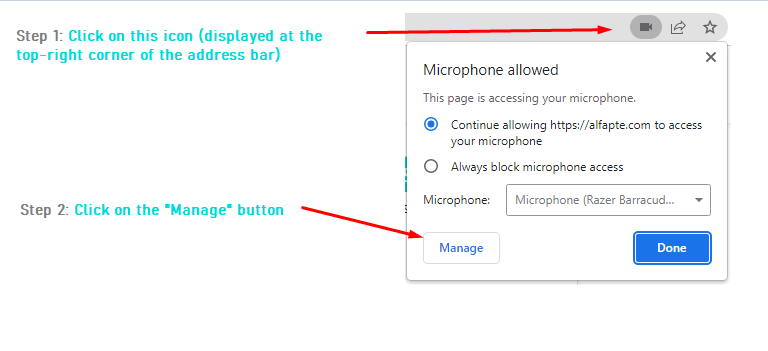
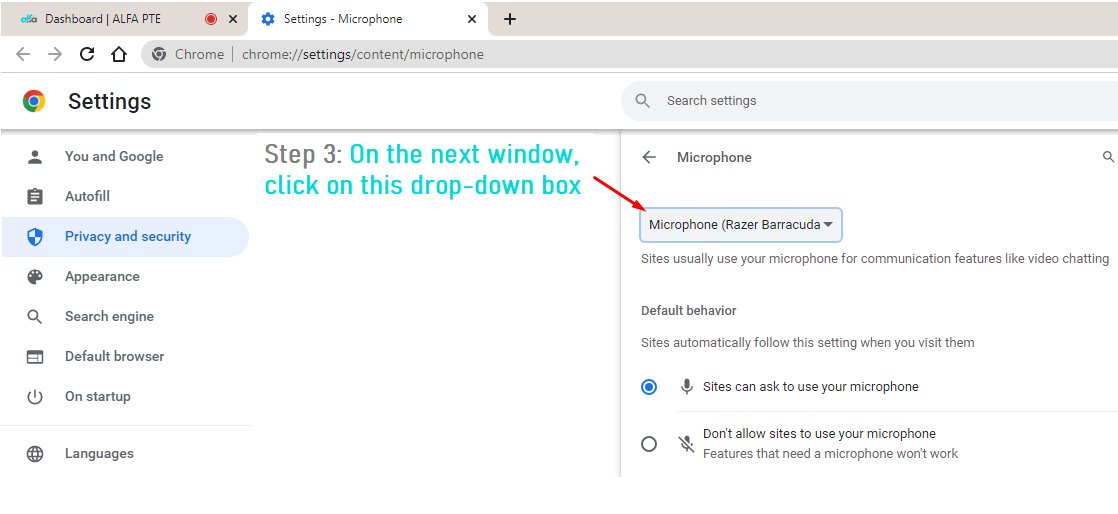
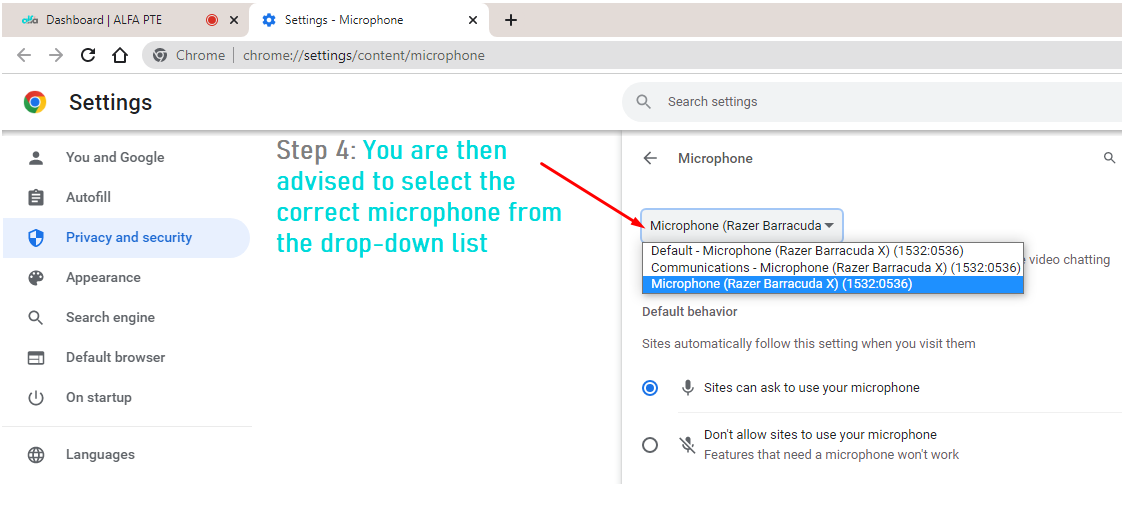
To select the correct microphone on your browser, please follow the below-advised steps.
Step-by-Step Guide to Ensure Your Microphone Is Ready for the PTE Test
Check Your PTE Speaking Performance
Check PTE ScoreNeed Help with Your PTE Setup?
Contact usFAQs
Why is selecting the correct microphone important for PTE speaking?
How can I check if the right microphone is selected in Chrome?
What happens if my microphone isn't working properly?
Get Your PTE Setup and Practice Ready
Sign Up